
You can cancel your order at any time from your Membership page
Follow the instructions below to navigate to your membership page to process a cancellation
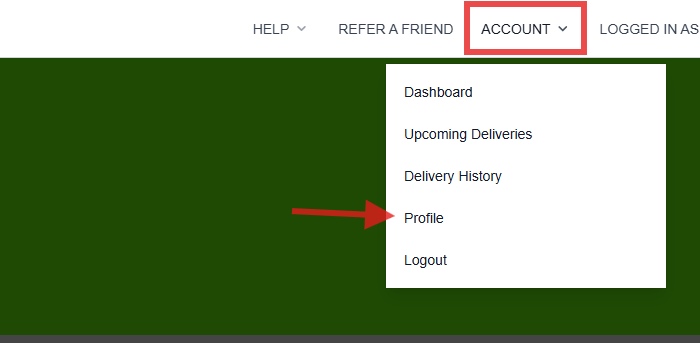
1. Navigate to the Account drop-down and select Profile
2. Select Membership and choose the 'Cancel your membership' hyperlink at the bottom of the page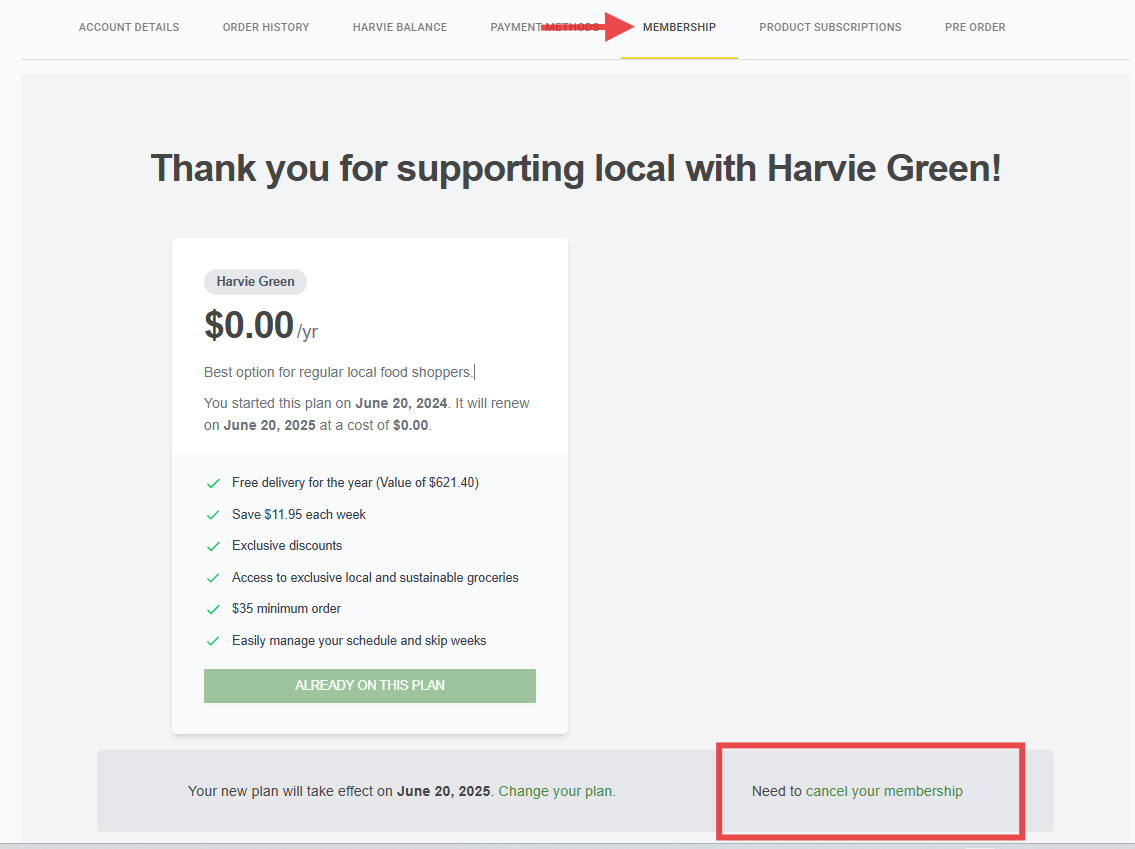
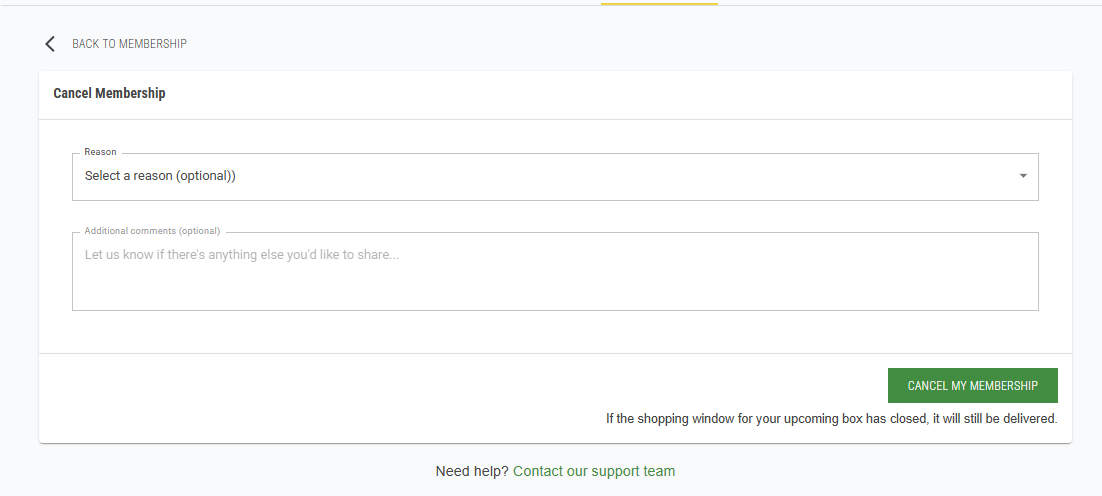
3. Provide a cancellation reason and optional comment, and select Cancel My Membership
If you need further assistance feel free to reach out to us using the Harvie Support Form